It's All About Widgets
Lately I've been trying to make my Windows experience more Mac-like. I love my Mac, and I do a lot of work on Windows so I have to run that all the time as well. In fact my next laptop is definately going to be a MacBook (preferably a black one) so I can run both Windows and OS X on one machine.
Some of the Mac's greatest little features are now available in some way on Windows.
Google Desktop for instance performs super fast searching on you computer much like Spotlight on the Mac. It also adds some great functioinality in the form of widget-like plug-ins that can be displayed as floating little windows, a sidebar, or docked in the taskbar.

Yahoo! Widgets comes directly from the Mac world. Before Apple not-so-kindly lifted the idea from a small developer and included the same technology in OS X, Konfabulator was a great Mac only engine to display little applets called widgets on your screen. Yahoo! bought out Konfabulator and hired the devlopers to port it to Windows and gave the software away for free. Its one of those applications that seem silly until you try it out - then you'll wonder how you lived without them.

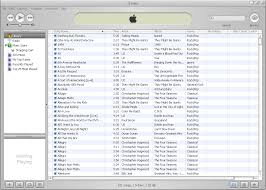
Apple iTunes is of course developed by Apple. Porting this program to Windows was one of the best decisions they have ever made. When the iPod first came out for Windows, they bundled it with the god-awful MusicMatch Jukebox. It suffered from the same problems that all non-iPods still suffer through - it was too confusing to use. Thankfully, Apple invested in getting it right, and the iTunes you see on Windows works exactly the same as it does on a Mac (albeit not as fast when you're dealing with a large library of music). Many people out there are still tooting the WinAmp horn, but nothing beats iTunes if you own an iPod or just want an easy way to catalog all of your mp3's.
Picassa 2 is the PC answer to iPhoto. In a lot of ways, I think its even better. Both apps have similar editing features, but Picassa goes a little deeper with their effects, and the way it handles categorizing your photos is pure genius. When you set it up, you tell it to either scan certain document folders, or your whole computer and it will automatically group your pictures together. iPhoto still wins in the ease of getting your photos off of your camera though. You just plug in your camera or card reader and it does the rest.

Mozilla Firefox & Thunderbird Both products exist on both the Mac and Windows. Firefox is the only browser you should be using on a PC. It is so far ahead of Internet Explorer in features and security it would be foolish to browse the web without it. Sure, IE7 is borrowing a lot of technology that the smaller guys have been implementing for years now, but it is still not compliant with internet standards and will still be integrated into Windows Explorer, making the chances to mess up your computer a lot greater than if you stick with a 3rd party browser such as Firefox. Thunderbird is to email what Firefox is to web browsing. I hate Outlook Express with a passion, and if you own Outlook then you know how archaic and bloated it is (Outlook 2003 was a step in the right direction at least). If you are not using an Exchange server, then there is no reason to stick with Outlook. The Junk Mail handling features of Thunderbird make it a great free alternative as well.


There are plenty of other software solutions that will make your PC experience a little more Mac-like, but I'll save those for another day.
posted by Joe @ 11:27 PM
0 comments


0 Comments:
Post a Comment
<< Home